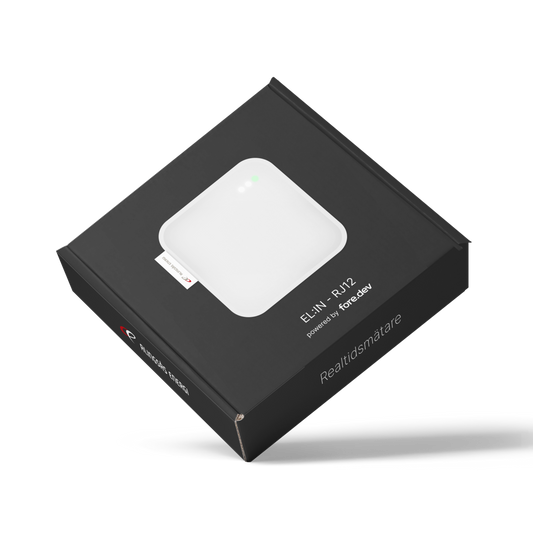
Say Hi to EL:IN!

EL:IN is a real-time meter that continuously reads your electricity usage from your electricity meter and transfers it to Alingsås Energi's app.

Follow your energy flow in near real-time

In the Alingsås Energi app, you can easily track your household's incoming and outgoing electricity. This gives you better opportunities to control and streamline your electricity costs.

Here's what you need to use our real-time meter EL:IN

  • Be a customer of Alingsås Energi*
  • Have access to an electricity meter for your home
  • WiFi coverage where you place your EL:IN (2.4Ghz)
  • Have an electricity meter with a HAN port

*electricity grid, broadband, electricity retail, or district heating customer

Is the EL:IN RJ12 compatible with your electricity meter?

EL:IN RJ12 requires that your electricity meter has an RJ12 output. If you are an electricity grid customer of Alingsås Energi, your electricity meter has an RJ12 connector.

If you have a Kamstrup Omnipower meter, a HAN-P1 module and external USB power supply are required to use EL:IN RJ12. Read more under Frequently Asked Questions or contact us.

FAQ

How do I activate the port on my smart meter?

For EL:IN to be able to receive data from your electricity meter, the port needs to be activated. The easiest way to activate it is usually to contact your electricity grid company.

Activate the HAN port for Alingsås Energi's electricity meter on My Pages. Log in as usual and follow the instructions. Contact customer service if you have any questions, kundservice@alingsasenergi.se.

Remember that your electricity grid provider and electricity supplier are not necessarily the same company.

How do I know if my electricity meter has an RJ12 port?

The available port varies between different electricity meter manufacturers. There are three common designs:

RJ12 (also called P1) - RJ12 is used, among other things, for landline telephones and is slightly smaller than an internet cable. You can easily connect EL:IN to your RJ12 port with the included cable.

RJ45 - The RJ45 port is slightly larger than RJ12 and fits a standard internet cable. If you have an RJ45 port, EL:IN is not compatible with your electricity meter. Contact your electricity grid company if you want to replace your HAN port.

Kamstrup Omnipower - Electricity meters of the Kamstrup Omnipower model do not have a port for either RJ12 or RJ45. If you have a KAM port, EL:IN is not compatible with your electricity meter. Contact your electricity grid company if you want to replace your HAN port.

How do I use EL:IN if my electricity meter is a Kamstrup Omnipower model?

The Kamstrup Omnipower lacks RJ12 and RJ45 ports. If you have already acquired a HAN-P1 module from Kamstrup, it is possible to connect EL:IN RJ12, but external USB power is required to operate the device.

How do I install EL:IN?

When the HAN port is activated and you are about to connect your EL:IN, you will be guided through the installation in the Alingsås Energi app. Download it here if you don't already have it:

App Store: Alingsås Energi app

Google Play Store: Alingsås Energi app

Is EL:IN hard to install?

EL:IN is very easy to install and connects smoothly to Alingsås Energi's app with just a few clicks. Download the app below.

App Store: Alingsås Energi App

Google Play Store: Alingsås Energi App

I have another question about how to use EL:IN?

Contact Alingsås Energi's customer service; they will help you with other questions about how to use EL:IN.

kundservice@alingsasenergi.se

Call Alingsås Energi's customer service: 0322 – 617 617

For warranty or return inquiries, contact elin@fore.dev

I want to return my EL:IN, how do I do that?

Read our Refund Policy to find out how to make a return.

My EL:IN is not working as it should, and I have troubleshoot the product according to the troubleshooting guide. Where do I go for warranty claims?

Please send a support request to elin@fore.dev. Include the following information:

- First and last name

- Order number

- Description of the issue

I have entered the wrong address or mobile number for delivery, who can change it?

Please send us an email as soon as possible with your name, phone number, and order number elin@fore.dev

My EL:IN isn't working and isn't sending data to the app, what should I do?

In our Troubleshooting Guide, you can find the most common errors and how to fix them.

How do I reset my EL:IN?

If the WiFi network that EL:IN is connected to changes settings, the device needs to be configured again. Press and hold the reset button for about 5 seconds. This will make EL:IN ready to be configured through the app again.

I already have load balancing and use the RJ45 port. Does that mean I can't use EL:IN?

Unfortunately not. EL:IN is only compatible with RJ12. You can investigate whether your load balancer can use RJ12 instead and use a splitter.

I already use RJ12 for load balancing, so can't I use EL:IN?

Yes, it still works. There are so-called "splitters" on the market, like a power strip for RJ12 connectors.

The grid company says the HAN port is activated and that it's the P1 push list, but EL:IN still shows no values. What should I do?

Try removing the EL:IN from the electricity meter and any charger/power supply, so it becomes de-energized. Wait 30 seconds and then plug it back in.

Troubleshooting

For troubleshooting information, please follow our guide

Developed by enthusiasts

Fore Development is a consulting and product company in Gothenburg. Our team consists of creative individuals who are driven by developing new technology.

Do you want to know more about us?